
Mini Relaxing – Stress Relief
QY StudioCasual
4.518.00 Reviews
- Version
- 1.29.23
- Installs
- 5.00M
- Age Rating
- Everyone
Screenshots
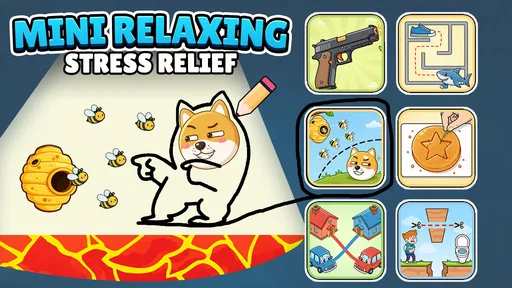
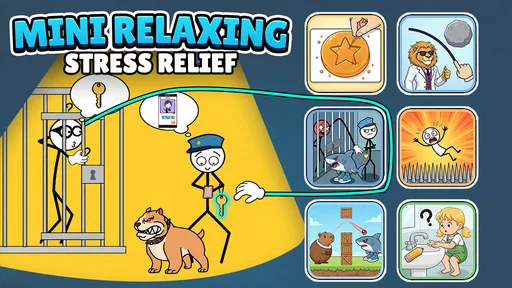
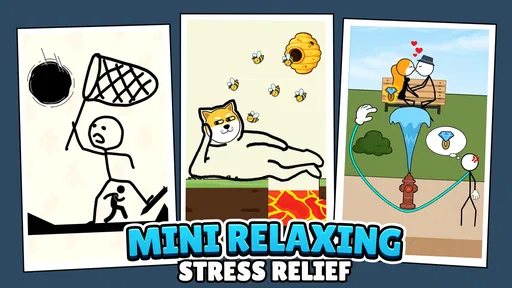
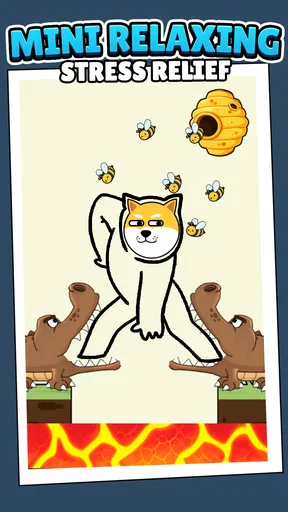
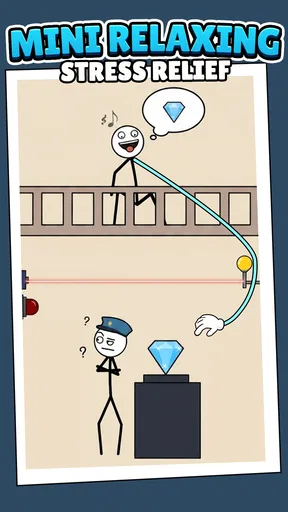
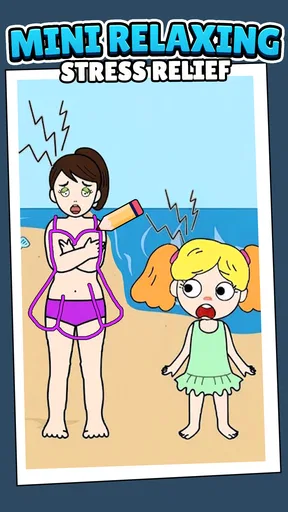
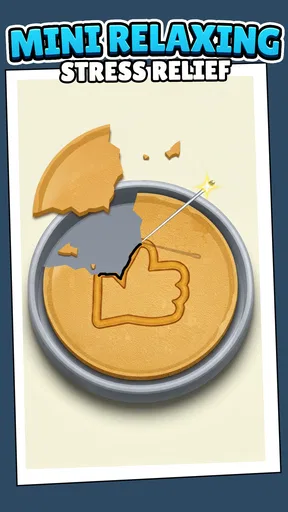
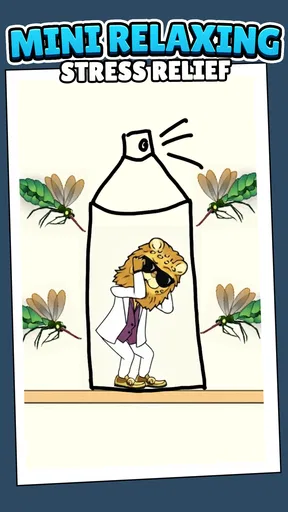
Our Review of Mini Relaxing – Stress Relief
 Analysis by Appyee
I picked up Mini Relaxing – Stress Relief expecting a quick collection of simple distractions, and that is exactly where it works best. This casual game from QY Studio brings together twenty-five small activities designed for short breaks rather than long sessions. I found it most useful when I wanted to reset my attention without committing to a full game, a puzzle campaign, or a competitive match.
The appeal is easy to understand in a shared household. One person can use it for a few minutes while waiting for dinner, another can take over the phone during a quiet break, and nobody needs to coordinate a multiplayer session. It is free, rated for Everyone, and the game can be played without Wi-Fi, which makes it practical in places where a connection is unreliable. My overall impression is positive, but I would not mistake it for a deep game. Its value comes from variety, accessibility, and low pressure.
How it fits into a shared phone or tablet
On a device that moves between family members, a collection of short games has a useful advantage: there is no long campaign to interrupt and no complicated progress system that another person needs to understand. I could imagine leaving this on a household tablet for a child to use briefly, then handing it to an adult who wants something calming. Each person can choose a small activity according to their mood instead of inheriting someone else’s difficult level or unfinished challenge.
That shared-device strength also creates a boundary. The experience is tied to the device and the moment, not to a carefully separated personal profile. I would treat it as a communal time-killer rather than a private game with meaningful individual progression. If several people care about preserving separate achievements, settings, or routines, a more account-focused title may be a better fit.
The offline design is especially convenient in this situation. A child can use it during travel, or an adult can open it in a waiting room where mobile data is limited. I still recommend downloading and checking the game before relying on it for a trip, because offline access is most useful when the app is already ready to run. Once it is available on the device, the lack of Wi-Fi removes one common source of household friction: nobody has to ask whether the connection is working before starting a short session.
There is also a simple social benefit to the mini-game format. Someone watching can understand what is happening almost immediately, so a parent, sibling, or partner can offer advice without learning a whole rulebook. That makes it easier to pass the phone around casually. At the same time, I would not expect the game to provide a structured shared competition. Its design is better suited to taking turns informally than to organizing a serious family tournament.
What the first session feels like
The first thing I noticed is that the appeal depends on switching activities. A single tiny game might not hold my attention for long, but the collection gives me a reason to try another when the current one stops feeling fresh. This is an important distinction from a standard relaxing puzzle game, where the pleasure usually comes from mastering one consistent system. Here, the change of pace is the main attraction.
For a short break, I prefer that arrangement. I can open the game without deciding whether I have enough time for a full level or story chapter. If I have only a few minutes, I can sample one activity and stop. If I have longer, I can move through several options. That flexibility makes it more suitable for a busy household than a game that expects uninterrupted attention.
Still, the variety should not be confused with unlimited depth. A collection of mini-games can feel broad while each individual activity remains fairly light. Players who enjoy learning advanced techniques, building a long-term strategy, or chasing a substantial completion goal may quickly want more. I would recommend this as a companion to deeper games, not as a replacement for them.
Setting sensible boundaries before handing it over
Because the game is so easy to open and pass around, I would decide in advance where it belongs in the household routine. For younger users, that might mean using it during a planned break rather than treating it as an always-available activity. The Everyone age rating makes it broadly approachable, but an age label does not replace a parent’s judgment about screen time, attention, or the suitability of a particular activity for an individual child.
I also think it is wise to separate the game’s relaxing purpose from the idea of using it endlessly. The short format encourages “just one more” switching, especially when a new mini-game is only a tap away. In my experience, the best use is to choose a natural stopping point before starting. A timer outside the game, a break after a few activities, or a simple household rule can keep the experience aligned with its calming purpose.
For adults sharing a device, the boundary is less about age and more about expectations. If one person is using the phone for work, study, or navigation, a casual game should not be left open in a way that makes the device feel unavailable. I would keep it in an obvious place and close it when finished. That sounds minor, but simple habits matter when several people depend on the same screen.
Another practical tip is to test how each person responds to the activities. “Relaxing” is not universal. Some players find quick interactions soothing, while others become more tense when a game asks for speed, accuracy, or repeated attempts. If one mini-game feels irritating, switching to another is probably more useful than forcing yourself to master it. The collection’s strength is choice, so I would use that choice deliberately.
Coordinating turns without making it complicated
Mini Relaxing works well when household coordination stays informal. A person can say which activity they want to try, take a short turn, and hand the device over. Since the game contains multiple options rather than one shared board that everyone must follow, people can choose different experiences without disrupting a fixed group session.
That flexibility is helpful for mixed ages. An adult may prefer a slower, less demanding activity, while a child may enjoy something that feels more active. The game can accommodate those different moods better than a single puzzle with one difficulty curve. I would let each person choose rather than assuming that one activity will suit everyone equally.
There is a trade-off, though. Informal turn-taking means the household has to manage fairness itself. I would not rely on the game to organize turns, preserve a family schedule, or provide a formal shared scoreboard. If your goal is a cooperative experience where everyone has a clear role, a dedicated multiplayer game would be more appropriate. This title is strongest when coordination is light and the device is simply being passed around.
A useful routine is to give each person a small, agreed window and let them stop naturally. That avoids the awkward situation where someone keeps searching through the collection while another person is waiting. It also keeps the game’s casual character intact. The point is not to turn relaxation into another household task; it is to make access predictable enough that the device remains pleasant to share.
I would also avoid judging one player’s choice against another’s. Since the activities are likely to appeal for different reasons, the best shared experience may be talking about which one felt comfortable rather than comparing performance. That approach suits the game better than treating it like a competitive arcade title.
Age, trust, and what the rating really means
The Everyone rating makes this an approachable option for a broad audience, especially when compared with games built around mature themes, intense competition, or complicated social interaction. In a family setting, that lowers the initial concern about the general audience. I would still preview the experience myself before giving it to a young child, because an age rating is a starting point, not a full description of how every activity will feel to that child.
Trust is also important on a shared device. I would show younger users how to return to the main selection and explain that the game is for a break, not a reason to keep using the phone indefinitely. Those are household agreements rather than features of the app, but they make a real difference. The game’s uncomplicated nature makes that conversation easier because there is no need to explain a large inventory, a complex account, or a long-term progression plan.
For older children and adults, the main question is whether the collection feels calming or merely distracting. I found it useful as a mental reset, but someone looking for a serious concentration exercise may prefer a dedicated puzzle or mindfulness app. This game does not need to serve every definition of relaxation. Its role is narrower and more practical: provide a handful of low-commitment diversions when the mind needs a change of direction.
I would be cautious about presenting it as a solution for significant stress or anxiety. A casual game can help create a short pause, but it is not a substitute for sleep, conversation, professional support, or other forms of care. In a household, that distinction is worth keeping clear, particularly when someone is reaching for the game because they feel overwhelmed rather than simply bored.
How it compares with familiar casual alternatives
Compared with a traditional single puzzle game, this collection gives up depth in exchange for faster variety. A dedicated puzzle title may offer more satisfying mastery, clearer progression, and a stronger reason to return to the same system. Mini Relaxing is better when I do not know what kind of break I want yet. I can move between small activities instead of committing to one style.
Compared with endless runners or competitive arcade games, it feels less demanding in its purpose. Those alternatives often encourage high scores, quick reactions, and repeated attempts to beat a previous result. That can be exciting, but it can also work against relaxation. This collection is a better choice when I want to avoid pressure, although players who enjoy competition may find it less motivating.
It also differs from meditation and breathing apps. Those tools are built around guided calm, structured exercises, or deliberate attention. This is still a game, so its method is distraction through interaction rather than a formal relaxation practice. I would choose it when I need to occupy my hands and redirect my thoughts, not when I specifically want guided mindfulness.
Against a large story-driven game, the contrast is even clearer. There is no need to remember characters, objectives, or a complicated control system before taking a break. That makes it suitable for a shared device and irregular use. The cost is that the experience may feel disposable once the novelty of switching between activities fades. Whether that is a weakness depends on what you want from a casual game.
Practical details before installing
The game is free, which makes it easy to try without turning the decision into a purchase. It has reached over five million installs and holds a four-point-five average from around four thousand six hundred ratings, so it has clearly found a substantial audience. Those figures do not guarantee that every activity will suit every player, but they make it reasonable to test for yourself if the format sounds appealing.
QY Studio lists the current release as version 1.29.23, with Android seven point zero or later required. That minimum makes it accessible on many older Android devices, which is useful for a household tablet or a spare phone that no longer runs the newest software. I would still judge the experience on the actual device you plan to share, since comfort depends on screen size, touch response, and how easily different users can see the controls.
The release date is October 11, 2025, so I would keep the app updated through the normal store process when updates are offered. On a shared device, updates are easiest to manage when one person takes responsibility for checking them rather than leaving every user to wonder whether the game is current. I would also install it while connected, then test the offline behavior before a journey or a place where connectivity may be limited.
One small but useful workflow is to keep this game available as a “short break” option rather than burying it among demanding titles. That helps children and adults understand why it is on the device and reduces the temptation to open something much more absorbing when the intention was only to reset for a few minutes. The game’s compact format supports that role better than a large entertainment app.
Who should choose it, and who should skip it
I would recommend it to someone who wants a free casual game with several quick activities, especially if offline access matters. It is a good match for commuters, families sharing a tablet, people who dislike long tutorials, and anyone who wants to fill a small gap without starting a major gaming session. The broad age rating also makes it easier to consider for a mixed household, provided adults set sensible expectations around screen use.
I would be less enthusiastic for players who need a strong sense of progression. If you want a campaign, character development, competitive rankings, or a single mechanic that becomes richer over time, a focused alternative will probably feel more rewarding. The same applies if you are looking for a structured stress-management tool. This game can provide a pleasant interruption, but it does not replace a purpose-built wellness routine.
I would also skip it if your household needs separate accounts, carefully managed personal progress, or formal multiplayer coordination. The shared-device scenario works because the game is easy to pick up and put down, not because it creates a detailed family system. That simplicity is a benefit for casual use and a limitation for organized use.
My household verdict
After using it as a quick escape rather than a main game, I think Mini Relaxing – Stress Relief earns its place on a shared Android device. Its twenty-five mini-games give different family members room to find their own preferred kind of break, while offline play removes the need to plan around a network connection. The free price and Everyone rating make the trial straightforward, and the low commitment suits irregular use.
My recommendation comes with a clear condition: keep the expectations modest. This is not a deep puzzle collection, a family account platform, or a substitute for professional stress support. It is a pocket-sized set of casual distractions. Its best use is a short, agreed break that people can share without complicated setup.
For my household, that balance is worthwhile. I would install it on a spare phone or tablet, explain the basic turn-taking expectations, and let each person decide which activities feel comfortable. If the goal is a calm option that can be opened almost anywhere, this game is an easy recommendation. If the goal is long-term mastery or a fully coordinated family gaming experience, I would choose something more specialized instead.
Verdict
Strengths of Mini Relaxing – Stress Relief
- Simple breathing exercises are easy to follow for beginners.
- Short sessions fit conveniently into busy daily routines.
- Calming visuals create a peaceful, low-pressure experience.
- Useful for quick breaks at work, school, or before bedtime.
- Minimal interface makes navigation fast and distraction-free.
Limitations of Mini Relaxing – Stress Relief
- Limited variety may make the exercises feel repetitive over time.
- Some relaxation features may require an internet connection.
- Benefits depend on regular use rather than instant results.
- May feel too basic for users seeking advanced meditation guidance.
- Reminders or audio can be less effective in noisy environments.
Other Releases by QY Studio
View All
No WiFi-Antistress Relax toys
Casual4.6
Similar Picks in This Category
View All
My Talking Angela
Outfit7 Limited4.2

My Talking Tom
Outfit7 Limited4.3

Pou
Zakeh4.2

My Talking Tom 2: Pet Game
Outfit7 Limited4.3

Candy Crush Saga
King4.6

Bridge Race
Supersonic Studios LTD4.1
Frequently Asked Questions
What is Mini Relaxing – Stress Relief?
Mini Relaxing – Stress Relief is a casual wellness app designed to help users unwind through short, simple activities. Its experience focuses on calm interactions, relaxing visuals, and an easy pace rather than competition or complicated goals. It can be useful during a quick break, before bedtime, or whenever you want a lightweight distraction from daily stress and screen fatigue.
How does Mini Relaxing – Stress Relief help with relaxation?
The app encourages relaxation by offering brief activities that are easy to understand and do not require intense concentration. Its gentle presentation and repetitive interactions can help shift your attention away from stressful thoughts for a few minutes. However, it should be viewed as a self-care tool rather than a medical treatment, and results may vary depending on your personal preferences and situation.
Is Mini Relaxing – Stress Relief suitable for beginners and children?
Yes, the app is generally approachable for beginners because it does not require previous experience, advanced skills, or complicated instructions. The simple format makes it accessible to many age groups, although parents should check the application’s age rating, advertising, privacy information, and any in-app purchase options before allowing children to use it. Younger users should also take regular screen breaks.
Does Mini Relaxing – Stress Relief require an internet connection?
Some features may work without a constant internet connection, particularly if the relevant content has already been installed on your device. Nevertheless, internet access may be needed for the initial download, updates, advertisements, analytics, cloud-related functions, or optional purchases. Availability can differ between the Android and iOS versions, so it is worth checking the store listing and testing the app in offline mode.
Is Mini Relaxing – Stress Relief free to download and safe to use?
The app may be available as a free download, but the exact business model can include advertisements, optional purchases, or premium content depending on the platform and current version. Before installing, review the official store listing, permissions, developer information, and privacy policy. Downloading from Google Play or the App Store is the safest option, and users should avoid unofficial modified versions.
Play our best games!


